ProCleaner - Storage Cleaner
- 4.0
- Rating
- 5.00M
- Installs
- Free
- Price

 Analysis by App-foxy
I approached ProCleaner - Storage Cleaner as the kind of tool you open when your phone is warning about low storage, an app feels sluggish, or you simply want to remove temporary clutter without searching through several settings screens. Its promise is straightforward: make cleaning quick enough that you will actually do it. In my experience, that simplicity is both its main strength and the first thing that needs careful handling.
This is a free tools app from Appsiko, aimed at Everyone and compatible with Android 7.0 and later. It has reached over a million installs, with a 4.1 average from around 3,100 ratings. The current version is 1.1.4, and it was released on October 24, 2025. Those figures suggest that it has found a practical audience, but they do not remove the need to understand what a one-tap cleaner can and cannot safely do.
Where the first cleaning attempt can go wrong
The most common frustration with a storage cleaner is not necessarily a broken button. It is an unclear result. You tap the cleaning control, the process finishes, and the phone still feels full. That can happen because temporary cache is only one part of storage use. Photos, videos, downloads, offline media, large games, and message attachments may occupy much more space while remaining outside the simple cache-cleaning task.
You May Also Like

 Blood Strike: 2.5 Anniversary
Blood Strike’s Loadouts Turn Every Drop Into a Tactical Gamble
A close look at Blood Strike’s custom loadouts: how fast access to signature weapons reshapes its battle royale rhythm, rewards preparation, and narrows the gap between fights.

 Pandora - Music & Podcasts
Pandora’s Music Is Easy to Start, but Harder to Recover
Pandora’s strength is its low-effort path from a seed to a station. Its weak spot is how much confidence it asks you to place in connection, setup, and quiet recovery.

 8 Ball Pool
 Is Built on Rivalries, Rematches, and Routine
A close look at the rivalries, rematches, shared routines, and unanswered safety questions that turn a quick pool match into a persistent mobile community.

 Samsung Music
’s Quiet Strength Is Playing What You Already Own
Its reach comes less from spectacle than from dependable access to a personal library. That simplicity is both the app’s strongest retention engine and its ceiling.

 AccuWeather: Weather Radar
AccuWeather Review: A Quick, Clear Forecast for Everyday Decisions
For everyday plans, the best forecast is the one you can understand quickly. AccuWeather makes rain timing, radar, and local conditions easy to act on, with a few trade-offs.

 Hill Climb Racing
Why Hill Climb Racing Still Turns Crashes Into One More Run
A tiny car, a bumpy hill and one more upgrade: Hill Climb Racing keeps resurfacing because its simple chaos makes every near-miss feel personal.
More From Our News Desk



That distinction matters with this app. Its core role is removing cache and helping free storage quickly, not replacing a complete file-management routine. If you open it expecting a full personal-storage audit, you may think it has failed when the real problem is that your largest files are not temporary data. I recommend checking the phone's own storage screen before cleaning so you know whether cache is actually a meaningful part of the problem.
Another point where users can get stuck is permission or system access. Android can limit what one app is allowed to inspect or remove, especially when data belongs to another application. If the scan appears limited, pauses, or produces a smaller result than expected, do not immediately repeat the action several times. First check whether Android is waiting for a confirmation or whether the app has been allowed to perform the operation it requested.
A one-tap action should be treated as a shortcut, not as permission to stop reading. Before confirming a cleanup, I would look at the type of material being selected and avoid rushing through any screen that groups temporary items with files I may still need. A few seconds of attention is a better trade-off than deleting something simply because it appeared in a cleanup result.
What the app is useful for in daily life
A realistic example is a phone used heavily for navigation, social apps, browsing, and video messaging. After several weeks, those apps can accumulate temporary material, and the device may begin showing low-space warnings. In that situation, ProCleaner can be a convenient first response: open it, inspect the proposed cleanup, run the safe-looking action, and then check whether the warning has eased.
I also see value before a trip. If I need room for offline maps or a few recordings, a quick cache cleanup may recover some breathing space without forcing me to sort every photograph. The important word is “some.” I would not rely on it as the only preparation step. I would also review downloads and offline content, because those are often deliberate files rather than disposable cache.
It is less suitable for someone who wants detailed control over folders, duplicate photographs, old documents, or the largest individual files. A dedicated file manager is usually better for that job. ProCleaner makes more sense when the goal is a fast maintenance pass and the user understands that temporary data is only one layer of storage management.
Setup checks that prevent unnecessary frustration
Installation should be uncomplicated on a supported device, since the app works with Android 7.0 and later. Still, I would begin with a few basic checks rather than opening the cleaner in a hurry. Confirm that the phone has finished any system update or restart, close an app that is actively downloading content, and make sure the device is not in the middle of restoring a backup. A cleaner cannot solve storage changes that are still being processed elsewhere.
After opening the app, give the first scan time to complete. A scan that seems slow may be dealing with a busy phone, a large number of installed apps, or system activity in the background. Repeatedly leaving and reopening the screen can make the process feel less reliable, even when the phone is simply still calculating what can be cleared.
If Android shows a permission prompt, read it in context. The safest approach is to grant only the access needed for the cleaning task and then return to the app to see whether the scan behaves normally. If a permission is denied, the result may be incomplete rather than entirely useless. That is a good reason to interpret the displayed amount as a current suggestion, not a guaranteed total of every removable item on the phone.
One practical setup habit is to keep a little free space before starting a major cleanup. When a phone is completely full, Android itself can become unstable: screens may load slowly, downloads may fail, and apps may not refresh their storage information immediately. If possible, remove one obvious large download manually first. That gives the system room to work and makes it easier to tell whether the cleaner is helping.
The free price is an advantage for occasional use. I can try it without committing money to a maintenance subscription, which makes it reasonable as a first-line tool. At the same time, free does not mean every cleanup result will be impressive. The value depends on how much temporary data has accumulated and how much of the phone's storage is made up of other categories.
How I would use the scan safely
I would not make cleaning a blind daily ritual. First, I would run the scan when the phone is idle and note what kind of space it identifies. Then I would close any app that is currently syncing or downloading. After that, I would review the proposed action and proceed only when the items look like temporary clutter rather than personal files.
There is also a useful timing trick: run the cleaner after finishing a large temporary task, not while that task is active. For example, clearing cache during an app update or immediately before a video upload may cause the app involved to rebuild temporary files straight away. Cleaning after the activity has finished gives the result a better chance of lasting.
I would also avoid judging success only by the number shown inside the cleaner. Check the phone's storage settings afterward, wait briefly if the system needs to recalculate, and then see whether the original problem has changed. If the device still reports nearly the same available space, that is useful information: the pressure is probably coming from personal media, downloads, or application data rather than cache.
One non-obvious trade-off is that clearing cache can make an app recreate temporary content later. That is not automatically a problem. It may help recover space at a critical moment, but it is not a permanent reduction in an app's footprint. If a particular app repeatedly grows large, opening that app's own storage settings may reveal a more appropriate option, such as managing offline content or reviewing locally saved material.
Recovering when the workflow does not finish as expected
If a scan freezes, my first step would be patience rather than tapping the button repeatedly. I would wait, leave the screen open, and check whether the phone is responding elsewhere. If the whole device is slow, the issue may be system-wide pressure rather than ProCleaner itself. Restarting the phone can refresh stuck background tasks, after which I would try the scan again once the home screen is responsive.
If only the app seems stuck, I would close it normally and reopen it. Should the same behavior continue, I would check that the device has enough free working space and that Android is not restricting background activity. I would avoid deleting the app's own data as an early troubleshooting step because that can reset local settings and does not necessarily address the underlying storage condition.
A cleanup that appears to finish without changing the storage reading deserves a different response. Wait for Android to update its calculation, then compare the result with the categories in the system storage panel. Cache may have been removed while a large recording, download, or offline playlist continues to dominate the total. In that case, repeating the same cleanup is unlikely to produce a different outcome.
If the app closes unexpectedly, I would restart the phone, confirm that Android is supported, and try again without other demanding tasks running. I would also make sure the app is current, since the installed version can affect stability. The current version of ProCleaner is 1.1.4, so checking the app's update status is sensible before assuming the issue is permanent.
For an especially full phone, recovery should happen in stages. Remove or move one clearly identified personal file, restart if the system is unresponsive, and then use the cleaner for temporary material. This sequence is safer than forcing a cleanup while Android has almost no working room. It also separates two different jobs: making immediate space and maintaining the device afterward.
When a different tool is the better answer
ProCleaner is not the right choice when I need a visual map of storage. If I want to find the largest videos, compare folders, locate duplicate documents, or decide which downloads to keep, I would use Android's storage tools or a trusted file manager. Those options usually provide more direct control because I can see the actual files rather than focusing on temporary cache.
It is also not the best answer for an app that is malfunctioning because of its saved account data. Clearing cache and clearing application data are not the same thing. Cache is temporary; application data may include sign-in state, preferences, downloaded records, or other information the app relies on. I would not use a general cleaner as a substitute for understanding that distinction.
Users who prefer complete manual control may find the one-tap approach too broad. Conversely, people who rarely manage storage may appreciate the reduced effort, provided they still review what is being removed. The right audience is someone who wants a quick, low-cost maintenance step and is comfortable using the phone's own storage screen for deeper decisions.
Privacy-conscious users should also take a measured approach to any cleaning utility. I would read the Android permission prompts and the app's visible explanations before granting access. A cleaner needs enough visibility to identify removable material, but that does not mean I would approve every request without understanding it. This is a general Android safety habit, and it is especially important for tools that interact with other apps' stored content.
My practical verdict after using it as a maintenance shortcut
What I like about ProCleaner is its narrow, understandable purpose. It is free, works on older supported Android devices, and focuses on reducing the effort involved in clearing temporary clutter. The developer, Appsiko, has presented it as a tools app rather than a complicated storage suite, and that makes the basic workflow approachable for people who do not want to explore several system menus.
Its limitations are just as important. A one-tap cleaner cannot decide which personal files matter to me, and it cannot make a phone with a full photo library suddenly spacious. Results may also vary depending on how much cache has accumulated and how Android handles access to other applications. I would therefore use it as a first step, not as proof that every storage problem has been solved.
My preferred routine would be occasional rather than automatic: check the system storage categories, use ProCleaner when temporary clutter appears to be part of the issue, verify the result afterward, and then handle large personal files separately. That workflow avoids the common mistake of blaming the cleaner when the real cause is a large download or an app storing content locally.
The 4.1 average and over a million installs make it a reasonable app to consider, but the decision should come down to your expectations. If you want a fast cache-focused cleanup with minimal effort, I think it is worth trying. If you want advanced file analysis, duplicate detection, or precise folder-by-folder control, I would choose a file manager or Android's built-in storage tools instead.
In short, ProCleaner - Storage Cleaner is most useful when treated as a quick maintenance button rather than a complete storage manager. For me, its best quality is convenience with a clear practical role; its main weakness is that convenience can encourage users to expect more than cache cleaning can deliver. Used with a quick review and a follow-up check, it is a sensible free tool for occasional storage relief.
FAQs for ProCleaner - Storage Cleaner
01What features does ProCleaner offer to enhance device performance?
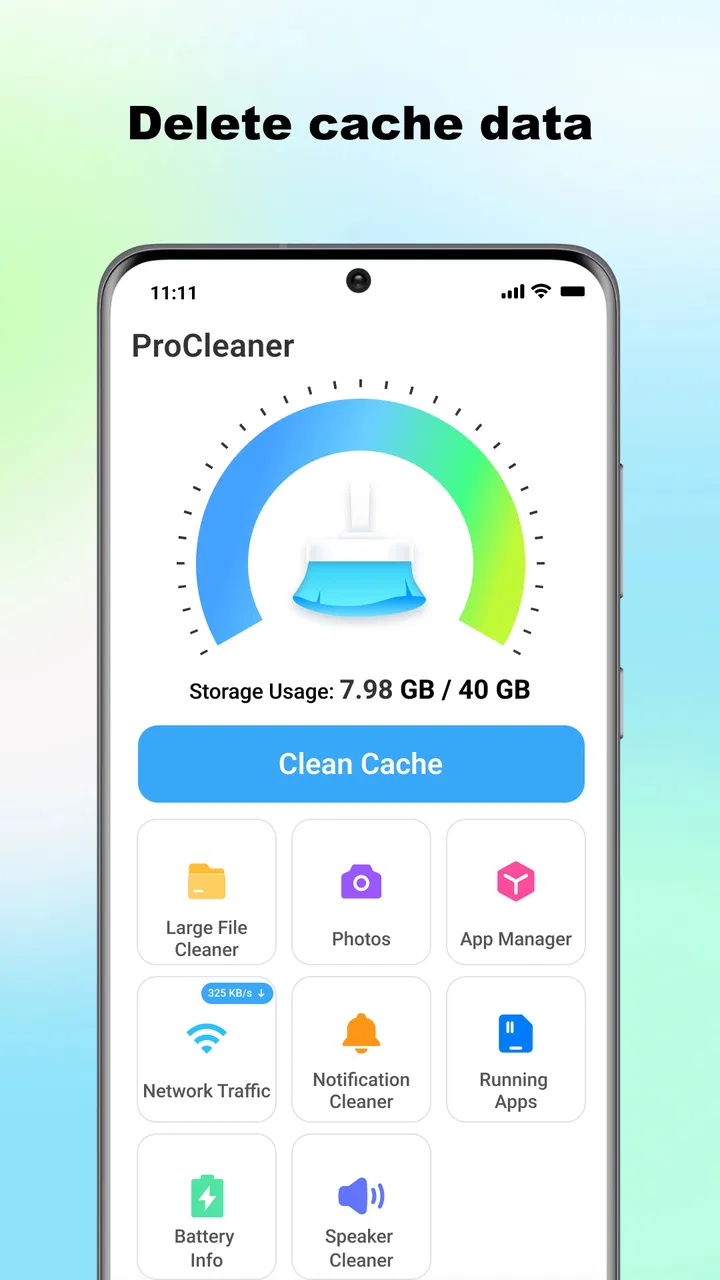
ProCleaner - Storage Cleaner offers a variety of features designed to optimize your device's performance. These include clearing cache files, removing temporary data, and managing large files and apps. It also features a memory booster to help speed up your device and a battery saver to prolong battery life.
02Is ProCleaner safe to use on both Android and iOS devices?
Yes, ProCleaner is safe to use on both Android and iOS devices. The app has been designed with user privacy in mind, ensuring that no personal data is collected during the cleaning process. Additionally, it complies with all platform guidelines to guarantee a secure user experience.
03How often should I use ProCleaner to maintain my device’s performance?
For optimal performance, it is recommended to use ProCleaner at least once a week. Regular use helps prevent your device from becoming sluggish due to accumulated junk files and unnecessary data. The app also offers automated cleaning schedules to ensure your device remains in peak condition.
04Does ProCleaner offer a free version, or is it solely a paid application?
ProCleaner offers both a free and a paid version. The free version provides basic cleaning features, while the paid version unlocks advanced tools such as deep cleaning, cache management, and ad-free usage. Users can choose the version that best fits their needs.
05Can ProCleaner help extend the battery life of my device?
Yes, ProCleaner includes a battery saver feature that helps extend your device's battery life. By identifying and restricting background processes that consume battery, the app reduces unnecessary energy usage. This feature is particularly beneficial for users who experience rapid battery drain.
Pros
- Efficiently frees up storage space.
- Simple and user-friendly interface.
- Fast scanning and cleaning process.
- Supports multiple file formats.
- Regular updates for improved performance.
Cons
- Contains ads in the free version.
- Limited features without premium.
- May occasionally delete recent files.
- Requires permission to access files.
- No option for scheduled cleanups.

ProCleaner - Storage Cleaner
Gallery